Google Find Hub Integration Locate your wallet using the Find Hub app or Google Assistant. Play a sound or see its last known location on a map via Google's global network.
Loud Speaker Hear it from up to 90m away—perfect for locating it under cushions or in another room.
Ultra-Slim Design Just 1.8mm thin—fits seamlessly into any wallet or card slot.
IP68 Water & Dust Resistance Fully protected against splashes, rain, and brief submersion.
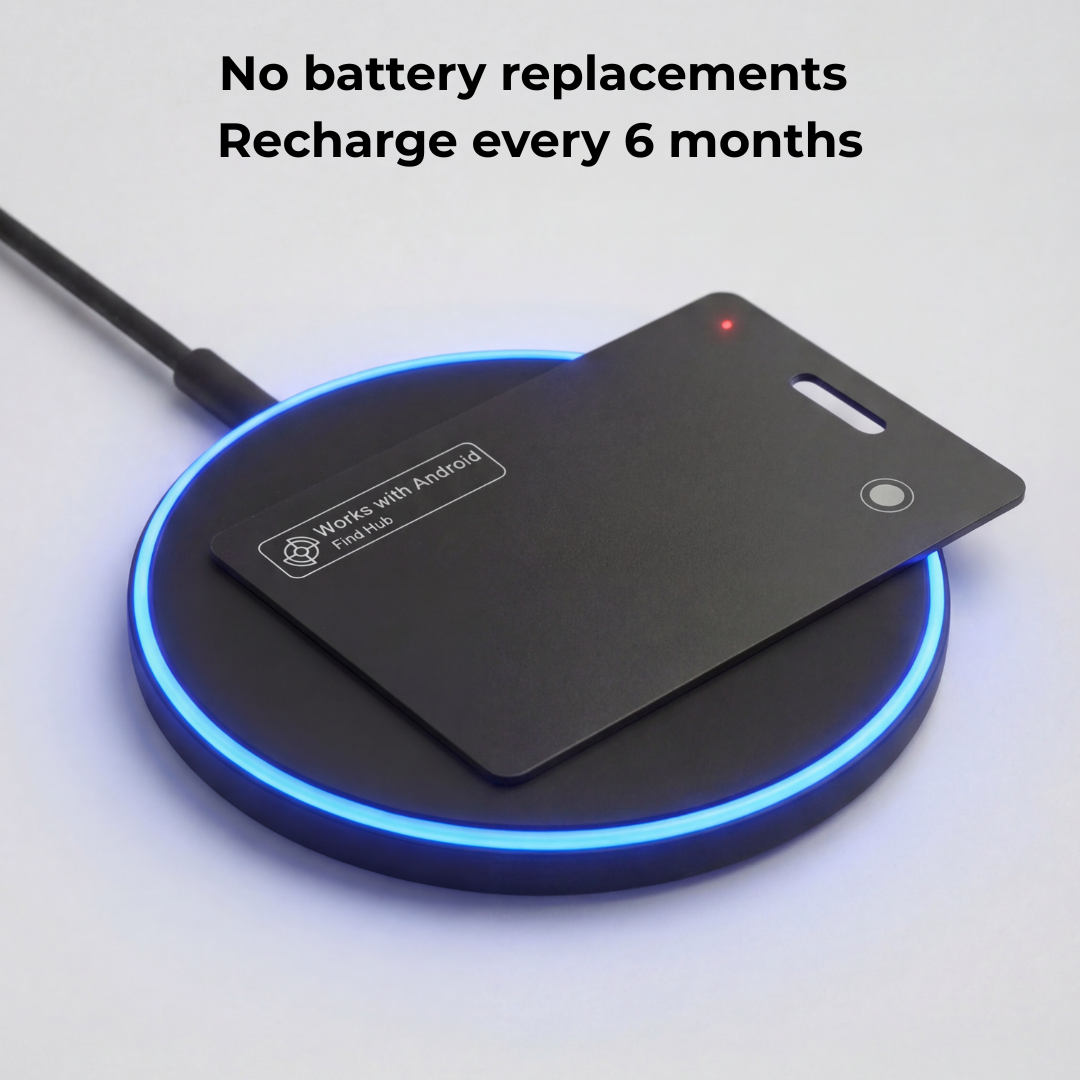
Up to 6 Months Battery Life Wireless charging supported—stay powered without hassle.
Compatibility
SYSTEM REQUIREMENTS
Android: Android 9.0 (Pie) or later with Google Play Services (standard on Samsung, Pixel, Motorola, etc.). Uses Google’s Find Hub network.
iPhone: Pairs through the Apple Find My app.
One network at a time: choose Google Find Hub or Apple Find My during setup.
Setup: about 2 minutes in the app, with Location turned on. After that, it updates passively through the network.
HARDWARE SPECS
Battery: Rechargeable (Lasts up to 6 months).
Ring: 95–100dB.
Charging: Wireless.
Connectivity: Bluetooth required for initial 2-minute setup. Afterward, it tracks passively via the network
Durability: IP68 dust and water resistance.
INCOMPATIBLE DEVICES
Android devices lacking Google Play Services or below Android 9.0
Shipping Information
We ship all of our deliveries from Melbourne. You can expect your order to arrive within 2-8 business days from when it leaves our warehouse.
Returns & Refunds
We offer a 100-day return policy. If it’s not for you, send it back for a full refund. To begin this process send an email to help@luxfordtech.com
Place your Android Find Hub Card on any Qi-compatible wireless charger.
When the LED turns green, it’s fully charged, good for up to 6 months of use under normal conditions.
💡 Tip: A quick top-up every few months keeps it powered indefinitely.
2. Open the Google Find Hub App
On your Android phone, open the Find Hub app.
If you don’t see it, download it free from the Google Play Store.
Make sure you’re signed in with your Google Account, and that Bluetooth + Location are turned on.
3. Put Your Finder Card Into Pairing Mode
Remove it from the packaging, then press and hold the button until you hear a short beep.
4. Connect in Seconds
Your phone will show a pop-up notification.
Tap Connect (or Pair) to link it instantly.
Once connected, it will appear inside your Find Hub app under “Items.”
5. You’re All Set
Your Find Hub Card is now securely linked to your Google Account and ready to help you locate nearly anything, anywhere Google’s global Find Hub network reaches.
Customer Reviews
Overall rating: 4.7 / 5 from 519 reviews.
Recently I was travelling between Australia and Tanzania, via Johannesburg & DarEsSalam, and I realised my bags had gone missing when I was supposed to clear customs in DarEsSalam. Noone wanted to assist and I had to make my connection to Mt Kilimanjaro ARUSHA so I had to continue on. I asked my tour guide to meet me at Arusha airport to help with lost baggage staff as I was getting nowhere, and it was MIDNIGHT anyway. Anyway we wasted hours and got nowhere, they decided it must be in DarEsSalam and nothing could be done til later.
My brain was too tired. at that stage, so I completely forgot about my Luxford trackers. Luckily I eventually woke up , bought a SIM for Tanzania and had a brainwave!! I should check my tracker!
Miracle then occurred - the tracker zoomed in on my 2 bags, sitting behind the checkin counter area in Johannesburg !!!! It was that accurate !! A Million times better than the TILE I had before. Anyway next morning I showed my guide, they contact Johannesburg and sent screenshot and they found them.
2 days later I had them back. Just in time for my Serengeti adventure. So thanks a million, I am very grateful.
Cheers. ALISON GROSE. CAIRNS. AUSTRALIA. AUG 2026
Ordered on a Friday, delivered Tuesday, I got the 3 cards plus charger, super easy to setup, even I could manage, instructions are simple, just down load Google find hub, charge each card (very quick), turn on and pair, I have, 1 for car l, 1 for keys, 1 for luggage, you can also share these with another person, gives peace of mind when on holidays, highly recommend.
I use this to track my disable son card works great like the fact you hit directions and Android phone takes me right to him best feature is there support had minor problems they get right back to you to solve any issues 5 stars
I bought the cards for travel but after losing my keys, twice in one week, in my house I now have one on my key change. No more frantic searching for me! They actually beep when you get close to them. Amazing!
Love it, works perfectly, see where your wallet is in real time, that is if you lost it.. Hope I never need but it's sure good to have. Make your wallet beep if necessary.
The identification items in my wallet along with available cash is worth more than the cost of this card many times over or if I'm travelling it can added to what ever I need tracked.in case of loss. It's just solves a problem before it happens.
This tracking card is great! I've used it in my precious car in case someone decides they would like to take a ride in it without my permission 😉
Peace of mind.
It was super easy to set up and easy to use too.
I'll likely buy another one, great gift idea too.
Sadly my Husband passed away shortly after receiving my Finder Card. I've only just had time & concentration to connect to my Android phone.
Now charging second Card to put in my car.
I gave third Card to my Sister who lives a distance from me, could you tell me again how she can charge hers without the charging pad please.
Also how do I know when Card needs charging again.
Kind Regards
Lynette Hyland
Didn't have any problems with the luggage so the tracker didn't get much of a workout. However it was nice to check if my luggage was close, or even on the plane, once I boarded, especially since I'd been at the airport for over 7 hours.
Purchased to monitor my daughter's jeep since shes 16. Works outstanding and she appreciates the added security! Thanks for the new tech ! Keep up the good work à